如何添加谷歌管理权限
首先要确保您有谷歌商家管理的最高管理权限,如果您没有最高管理权限,您无法进行接下来的操作。
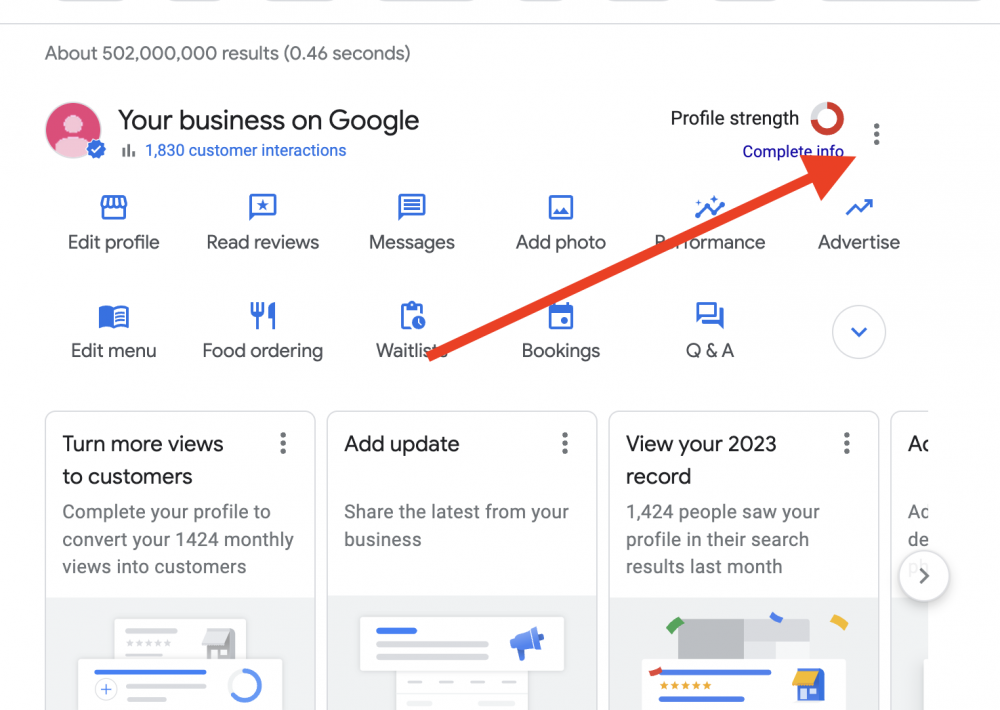
1.在谷歌搜索您的店铺。点击右上的3个点。
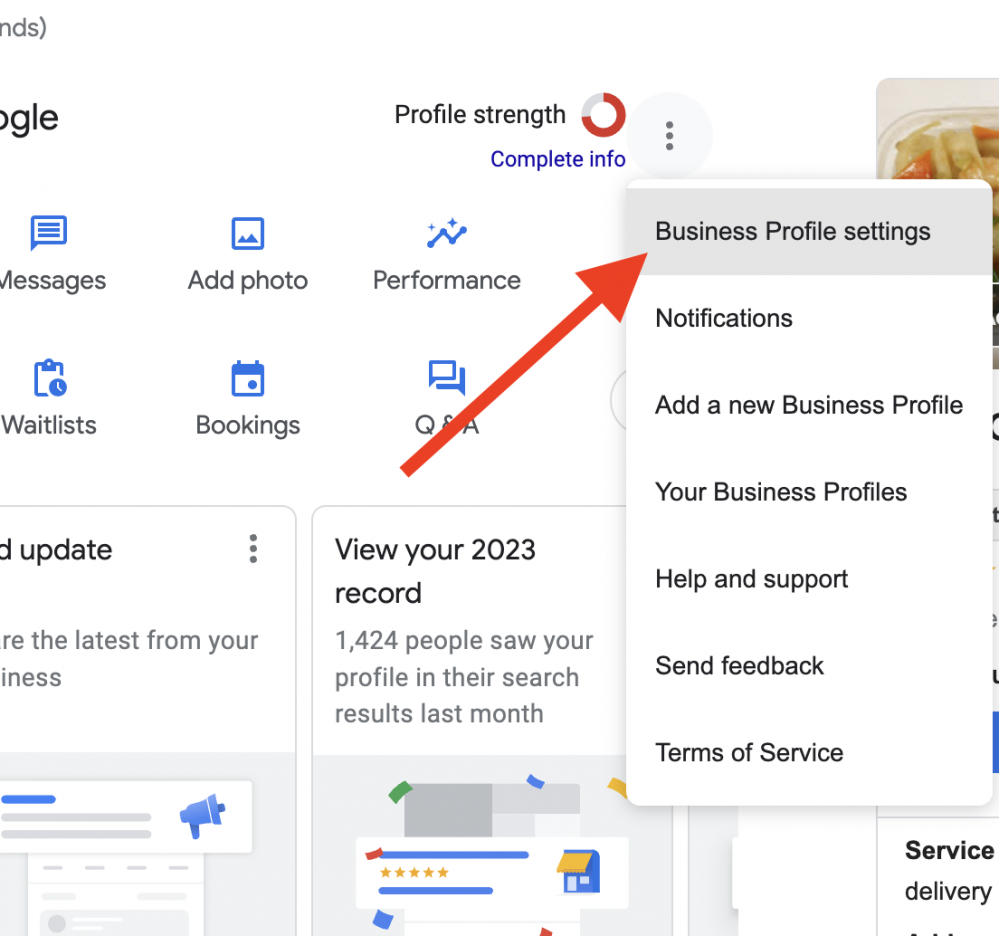
2,然后点击 Business profile Settings
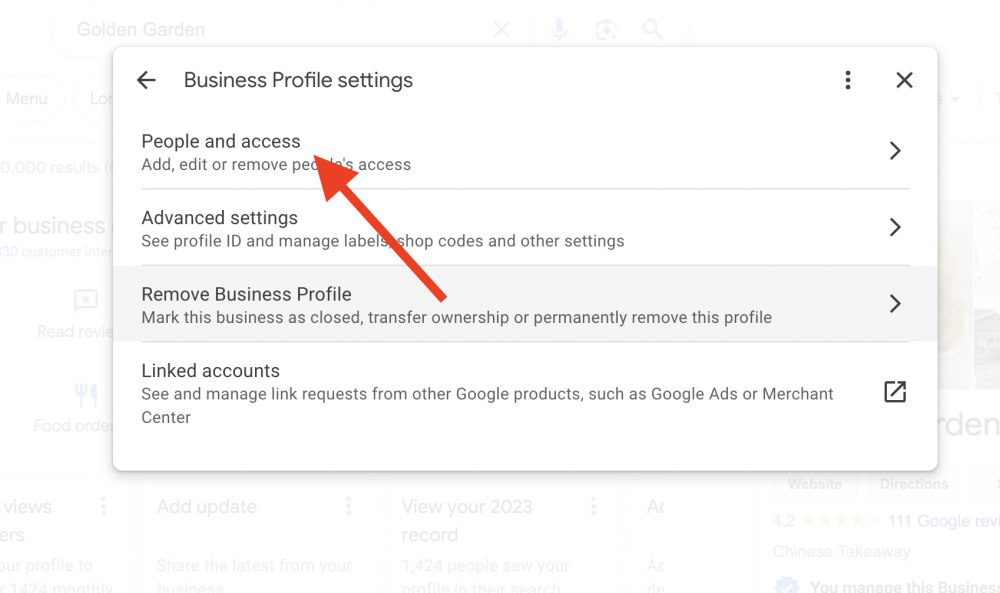
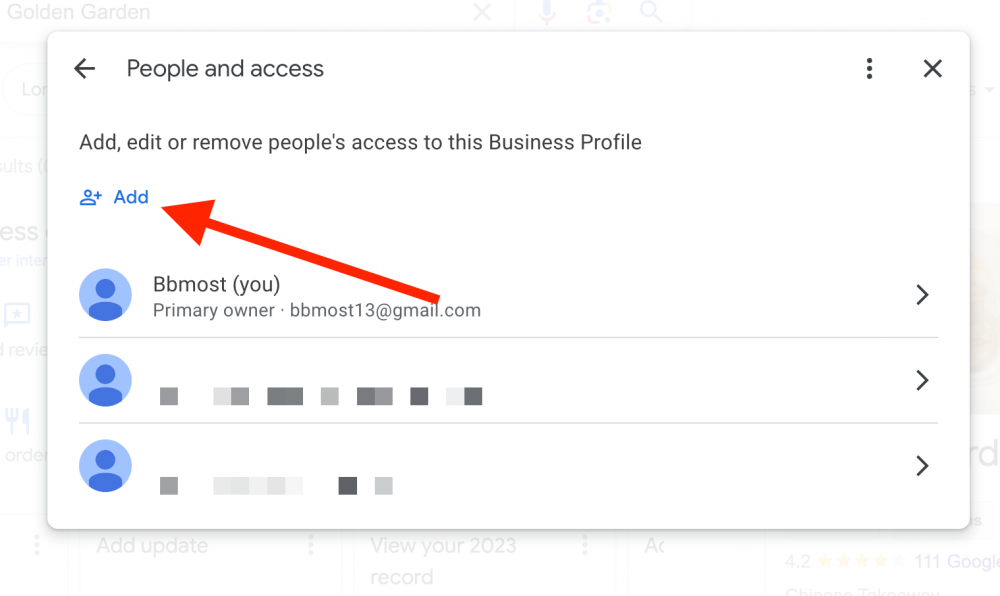
3. 点击 People and access
4. 点击 +add
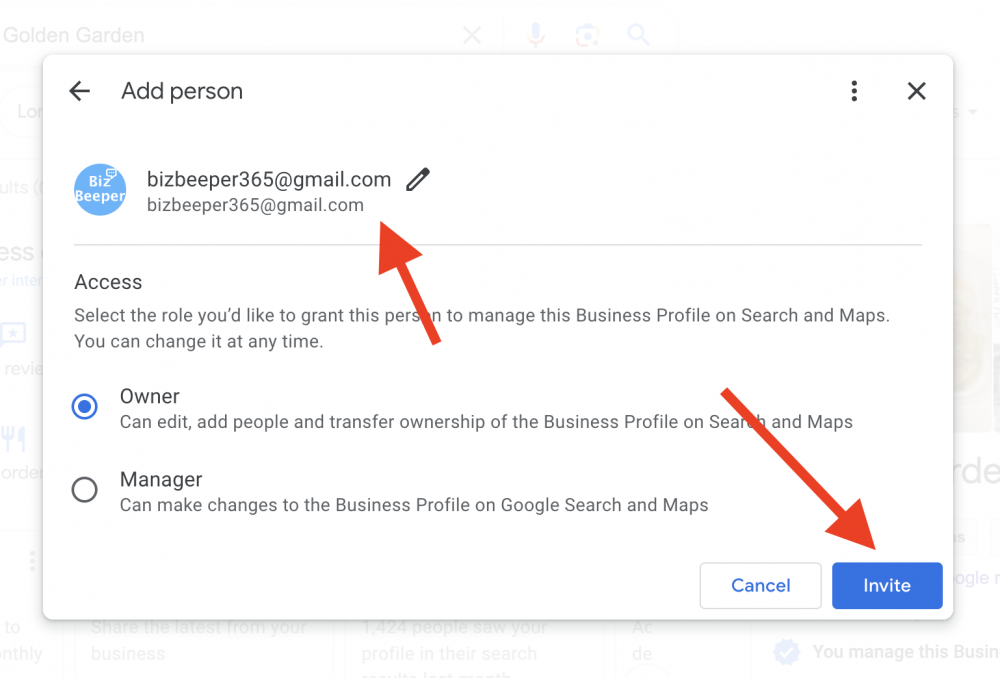
5.选为 Owner,然后在 Email address 里输入 客服提供给您的 Email 地址
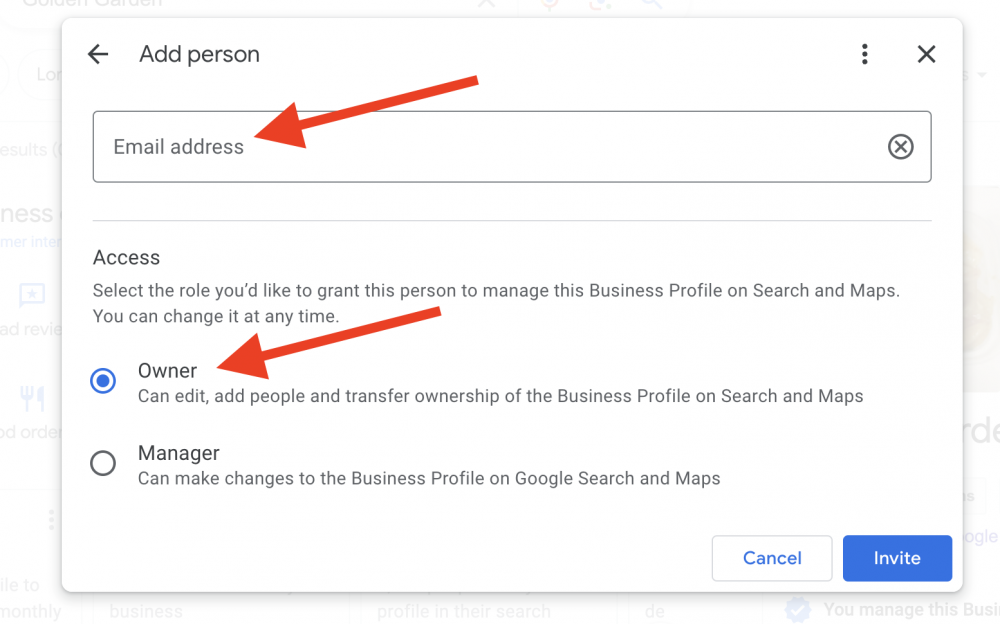
6. 添加邮箱后,点击Invite 完成。等待客服确认。

如何添加谷歌管理权限
首先要确保您有谷歌商家管理的最高管理权限,如果您没有最高管理权限,您无法进行接下来的操作。
1.在谷歌搜索您的店铺。点击右上的3个点。
2,然后点击 Business profile Settings
3. 点击 People and access
4. 点击 +add
5.选为 Owner,然后在 Email address 里输入 客服提供给您的 Email 地址
6. 添加邮箱后,点击Invite 完成。等待客服确认。